
Mojave Valley Beginner Guide
First-session order for Roblox California driving RP in Pre-Alpha.
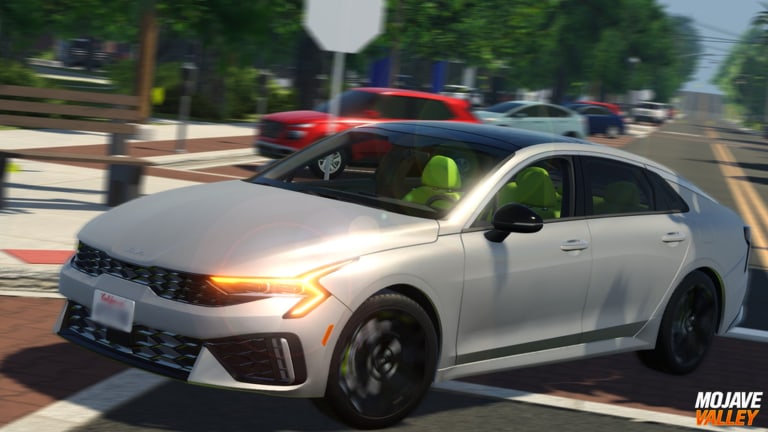
Mojave Valley throws you into a sun-baked California map with realistic cars, a Shop menu, and almost no tutorial voiceover. This beginner guide is the missing first hour: redeem codes, start the engine, take a job, buy a car that does not bankrupt you, then learn where Sonora Vista actually is.
The experience is Pre-Alpha, free to play on Roblox, and capped at 25 players per server. Official Mojave Valley (group 3519819) lists it as an experimental realistic California roleplay game built from real Mojave, CA with fictional pieces mixed in. You will share the road with roleplayers, highway grinders, and people who still cannot find reverse. Be the second group, not the third.
Minute 0–5: cash and HUD
Do not walk to a dealership empty-handed. Open Mojave Valley codes and follow how to redeem: Shop (top-right) → Codes → paste → green arrow. Active late-August strings include ANNIVERSARY, THIRTYMILLIONVISITS, and JULY4TH. Hop to a new server if a fresh drop does nothing.
While the Shop is open, glance at Jobs. You will come back in a minute. Also note game passes: Public Services (about 169 Robux) is police RP, not a beginner purchase. Roblox Plus+ perks (extra drive/job pay, weekly $4,999, code bonus) are optional.
Minute 5–15: start the car and do not stall
Read driving controls once, then practice in an empty lot — not on a 35 mph downtown street.
- PC start: hold S+F. F alone can shut the car down.
- Console start: LT + D-pad down (the official description prints this).
- Gears: Q / E on PC, X / Y on console. Press M on PC for manual mode.
- Signals / hazards: Z / C and X on PC; D-pad left/right and B on console.
- Lights: L / J. Horn: H. First person: B, look with N. Car settings: G.
If the car is in Park, tap E (or Y) through the range until you are in Drive. Stalling in first gear is a controls problem, not a “the game is broken” problem. Mobile players get a power button above the brake and gear buttons on the right; it works, but highway grinding is easier on PC or a pad.
Minute 15–30: take a job before you buy
Open Shop → Jobs and register a cafe or food role. The jobs guide ranks Ray’s Cafe and Tylo’s as high-pay ticks (community reports around $750 per roughly five minutes) and Peet’s Coffee & Tea in Sonora Vista as the headline Cafe Job from the New Town update. Keep the job selected even while you drive. Unemployed players miss timer payouts.
Then stack Drive-to-Earn. Cruise near the posted limit, not at redline. A 30 mph street often pays best around 35–45 mph. Highway comments in community clips cluster around the high 50s. Racing at 120 mph looks great in a limited car and pays worse per mile.
Minute 30–50: buy a daily driver
Walk or drive to a dealership. Cycle trims. Buy something cheap that sips fuel. The car tier list is the filter:
- Early S / A grinders: Mazda 3, Hyundai Tucson, RAV4 Hybrid, Toyota Yaris, ordinary sedans.
- Fun but later: JDM imports, CLA 45 AMG, 400Z Nismo, SLS AMG.
- Flex / last: limited McLaren P1 class cars and police packs.
Start the new car with S+F, fill fuel, and immediately go back to a job site. A car that sits in a house carport is a trophy, not income.
Minute 50–60: learn three map pins
Use the map guide and pin these before you log off:
- A dealership.
- Your job (Peet’s in Sonora Vista, Ray’s, or Tylo’s).
- A highway on-ramp for Drive-to-Earn.
Optional fourth pin: the DMV on Ventura Dr if you care about license plates. Optional fifth: a claimable home district. Do not buy a house in the first hour unless code cash is overflowing after the car and fuel.
What Mojave Valley is not
It is not Fallout, not a western ranch sim, and not a separate mobile app that shares the name. It is not a 100-player city. Twenty-five people means your driving manners are visible. Use signals. Do not pit-maneuver someone’s first Yaris.
It is also not finished. Pre-Alpha patches relocate cafes, add 60+ trims, and rewrite plates. When the world moves, check patch notes and review rather than assuming this beginner path broke.
Second session goals
- Finish daily objectives (buy a vehicle, mileage, cafe orders — whatever the current rotation is).
- Join the Official Mojave Valley group so like-goal codes are harder to miss.
- Skim Discord only if you need rules or a data-loss ticket.
- Ignore scripts until you have actually driven the loop; most “inf money” remotes for this game are reported dead anyway.
If you only remember four keys from this page: Shop for codes, S+F to start, take a cafe job, buy a cheap car. Everything else is linked from the guides hub.
Frequently Asked Questions
Quick answers for Mojave Valley on Roblox.
How do I play Mojave Valley on Roblox?
Redeem codes, start a car with S+F (or LT + D-pad down on console), register a cafe job, buy a cheap daily driver, then cruise near the speed limit for Drive-to-Earn.
What should I buy first?
A fuel-efficient sedan or hatch from the car tier list, not a limited supercar and not a house.
Is Mojave Valley still Pre-Alpha?
Yes. It has been publicly playable since September 2025, but the listing still says Pre-Alpha, so cars, jobs, and districts can move after patches.
Can I play with friends?
Yes. Servers hold 25 players. Follow friends through Roblox and meet at a cafe or dealership. Voice chat is not supported on the official listing.