
How to Redeem Mojave Valley Codes
Shop → Codes → paste → confirm. Then hop servers if a new drop sits silent.
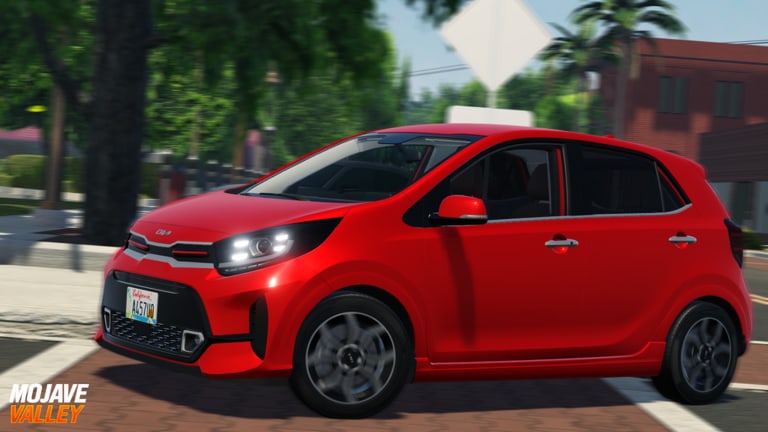
Redeeming Mojave Valley codes is a Shop-menu action, not a website form and not a chat command. If you came from the codes hub with a string like ANNIVERSARY already copied, this page is the only path you need. If a code still fails after these steps, check the expired list before you grind another hour empty-handed.
The in-game economy is cash for cars, fuel, repairs, homes, and plates. Codes skip the worst part of that climb. They do not unlock police cars, skip Cafe Job registration, or replace Drive-to-Earn. Treat a successful redeem as a down payment on a daily driver from the car tier list.
Before you open the Shop
- Launch the real Mojave Valley place on Roblox (Official Mojave Valley group). Fan RP servers with a similar name will not accept these strings.
- Wait until your character finishes loading on the California map. Opening Shop mid-teleport can swallow input.
- Copy the code from the active list. Do not retype.
FOURTYTHOUSANDis a real misspelling; “correcting” it breaks the redeem. - If you just updated the client after a patch, join a new server. August drops such as ANNIVERSARY were documented as “use in new servers.”
Mobile, PC, and console share the same Shop → Codes tab. The shopping-cart icon sits in the top-right. On a phone you may need to rotate to landscape so the Codes tab is not hiding under the joystick.
Step-by-step redeem
- Click or tap the Shop (shopping cart) button in the top-right corner of the HUD.
- Switch to the Codes tab. Do not stay on Vehicles, Jobs, or game passes.
- Focus the Enter Code text box.
- Paste the code. Leave it in ALL CAPS with no spaces.
- Click the green arrow or press Enter.
- Watch your cash ticker. Success is a balance change, not a fireworks cutscene.
- Repeat one code at a time. Batch-pasting two strings into one box fails both.
If the box shakes or returns an invalid message, stop. Either the code expired, you are on an old server, or a lookalike string from a video thumbnail is wrong. Cross-check expired codes.
New-server and Plus+ details
Live-service driving games often replicate economy remotes per server. After a like-goal drop, old instances may still be running yesterday’s code table. Leaving to the Roblox home and pressing Play again is faster than arguing in chat.
Roblox Plus+ / Premium players get +5% additional rewards from redeemed codes according to the official description, along with +10% Drive-to-Earn, +10% job earnings, +5% on cash purchases, and a weekly $4,999 cash bonus. Redeem on the account you actually drive. There is no supported way to mail code cash to an alt.
Public Services (169 Robux) is a separate police RP pass. Codes will not buy it. Do not spend a holiday drop trying to unlock LEO cars; read players and the job tier list first.
What a good redeem session looks like
A new player should:
- Redeem every active string on the codes hub.
- Open Shop → Jobs and take a cafe or food role from the jobs guide.
- Buy a cheap, efficient car using the car tier list — hatchbacks and family sedans, not a limited SLS AMG.
- Drive highways near the posted limit using controls (S+F to start on PC, LT + D-pad down on console).
- Park at Peet’s Coffee in Sonora Vista or Ray’s / Tylo’s and let job ticks land, as mapped in the map guide.
That sequence is also the spine of the beginner guide. Codes without a car still leave you stranded between districts. A car without a job still leaves you leaking fuel money.
Common mistakes
Typing in chat. Other players will redeem your drop. The Enter Code box is inside Shop, not the chat bar.
Redeeming during a crash or data roll. If the game hitch-reloads, wait for the HUD cash number to stabilize. Data-loss reports go to the communications server linked from Discord and the official group, not to this wiki.
Assuming YouTube thumbnails are current. A May “secret code” video can still rank in search while the string is on the expired list. Trust the date on this wiki and the like-goal line in the Roblox description.
Spending the drop on plates first. Custom license plates are fun after you own a daily driver. They do not raise Drive-to-Earn.
Ignoring daily objectives. The late-July update added daily objectives such as buy-a-vehicle and mileage quests. Redeem, then complete the cheap objectives while the cash is still in your pocket.
After the code credits
Open your cash, then decide with the money guide. If you are still on foot, the only correct purchase is a starter car. If you already have a Tucson, RAV4 Hybrid, or Mazda 3, bank the rest for fuel and a house claim rather than a million-dollar limited that sits in a garage.
When the next like goal (50,000 as of late August 2026) hits, repeat this exact Shop path. Bookmark codes so you are not hunting Discord pins at 1 a.m. There is still no official Trello; the links hub explains where announcements actually land.
If Shop itself is missing, you are probably in a loading glitch or a copied experience. Rejoin from the official Roblox URL on the official group page. Then come back here and paste again.
Frequently Asked Questions
Quick answers for Mojave Valley on Roblox.
Where is the Mojave Valley code box?
Inside the Shop / shopping-cart menu in the top-right of the HUD. Open the Codes tab and paste into Enter Code, then press the green arrow.
Why did a new code not work?
Hop to a new server, check ALL CAPS spelling, and confirm the string is still on the active list. Many August codes required a fresh instance after the patch.
Can I redeem codes on mobile?
Yes. The Shop path is the same. Rotate to landscape if the Codes tab sits under the touch controls.
Do I redeem codes in chat?
No. Chat will not credit cash and it advertises the drop to the whole 25-player server. Use Shop → Codes only.