
Mojave Valley Guides
Driving, jobs, money, map, houses, and plates — written for Pre-Alpha RP.
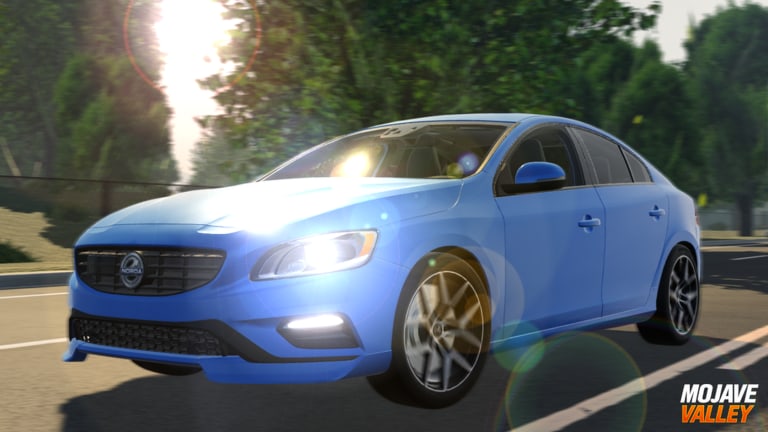
This hub is the practical side of the Mojave Valley wiki. Codes get you a burst of cash. Guides tell you what to do with the next two hours so you are not stalled in a 25-player California server with no car, no job, and no idea how to start the engine.
Mojave Valley is a Roblox vehicle-sim / life RP in Pre-Alpha, built from real Mojave, CA with fictional districts such as Sonora Vista. The loop is drive, work, spend, roleplay. There is no weapon meta and no character gacha. If a page on this site reads like a combat wiki, you are in the wrong tab.
Start here if you are new: Getting Started. If you cannot even turn the key, skip straight to driving controls. If the engine runs but the wallet does not, use how to make money and jobs. If you keep getting lost between the dealership and Peet’s Coffee, open the map guide.
What each guide is for
| Guide | Player intent |
|---|---|
| Getting Started | First session order: codes, start car, job, first buy |
| Driving controls | S+F, gears, signals, lights, console and mobile |
| Money | Drive-to-Earn speed, Plus+ math, spend order |
| Jobs | Cafe Job, Ray’s, Tylo’s, Peet’s, Shop → Jobs |
| Map | Sonora Vista, highways, DMV, dealerships |
| Houses | Claimable homes vs wasting cash on flex |
| License plates | DMV on Ventura Dr, custom plates |
| Dealership | How to buy cars, trims, limited traps |
| Police | Public Services pass, LEO cars, station RP |
Use the car tier list when a guide says “buy a daily driver.” Use the job tier list when a guide says “take the cafe.” Use codes when a guide says “redeem first.”
How-to intents this hub covers
- How to play — Getting Started and controls.
- How to get cash — money, jobs, codes.
- How to find a job / cafe / DMV — map and jobs.
- How to complete daily objectives — daily objectives.
- How to start the car — controls (PC S+F, console LT + D-pad down).
Guides are not patch notes. When the developers drop 9 cars and a DMV, the updates hub records what changed; these pages tell you how to drive after the change.
A sane first hour
- Redeem active codes with the redeem steps.
- Learn controls so you do not stall in first gear on a 35 mph street.
- Register a cafe or food job from jobs.
- Buy a cheap car using tier list cars and the dealership guide.
- Commute on highways using money and the map.
- Only then visit houses or plates.
Players who invert that order (plates → mansion → McLaren) come back to this hub broke. Pre-Alpha pricing moves, but the order does not.
Platform notes
PC has the deepest driving: manual mode (M), first person (B), look-around (N), car settings (G). Console binds are printed in the official Roblox description and expanded on controls. Mobile has on-screen power, gear, and signal buttons; it is playable, but highway grinding is kinder on a keyboard or a pad.
Roblox Plus+ is optional. It is not required to finish any guide. It does add +10% drive and job pay, which the money guide accounts for so you do not compare a Plus+ clip to a free account and think you are “bad at grinding.”
Related hubs
When a guide tells you a car is S-tier or a job is A-tier, that ranking lives under Tier List. When a guide mentions a May New Town drop or a July plate overhaul, details sit in patch notes. Community rules and tickets live under Players and official links.
Scripts that skip the loop are documented separately under Scripts with a safety page. These guides assume you play the economy the game shipped.
Read one guide per problem. Do not open all seven and none of the cars. The California map is large enough that a focused route beats a wiki tab explosion.
Frequently Asked Questions
Quick answers for Mojave Valley on Roblox.
Which Mojave Valley guide should I read first?
Getting Started, then Controls, then Money. Redeem codes before you buy anything. Map and houses can wait until you own a daily driver.
Do I need Roblox Plus+ to follow these guides?
No. Plus+ adds ten percent drive and job pay plus a weekly cash bonus, but every route here works on a free account.
Are these guides for the mobile Mojave app?
No. This wiki only covers Mojave Valley on Roblox by Official Mojave Valley.
Where are patch notes?
On the Updates hub. Guides explain how to play after a patch; they are not a changelog.